Case Study
CI/CD Pipeline for Secure Container Deployment
Overview
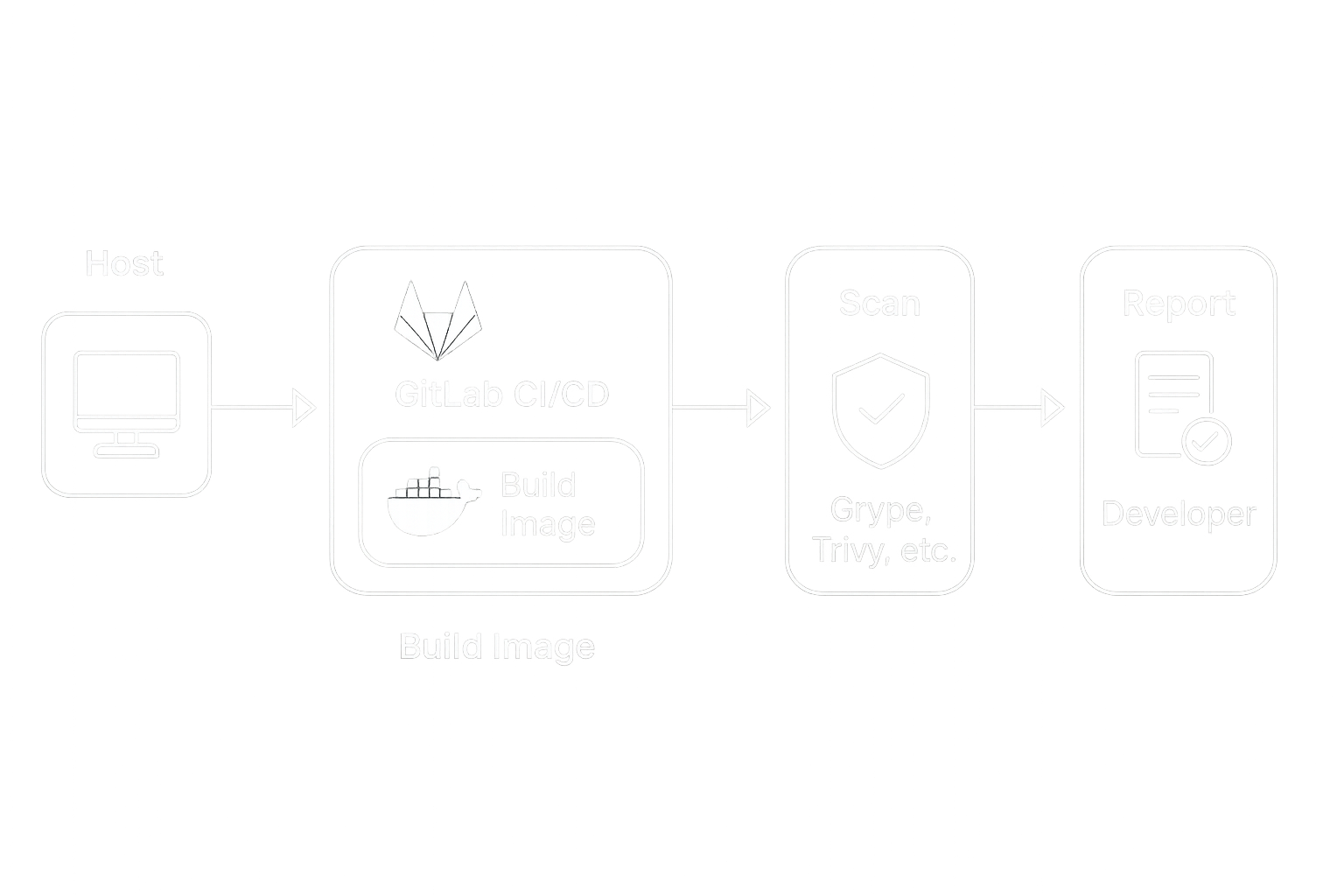
Modern teams rely on containerized applications, but keeping those images secure while moving fast is a balancing act. To address this, I built a GitLab CI/CD pipeline that automatically scans Docker images for vulnerabilities before deployment. The pipeline streamlined development and created a repeatable foundation for secure shipping.
The Problem
Developers needed to push updates quickly, but without an automated process, security checks often lagged behind. This caused delays and left open the possibility of vulnerable software reaching production.
- Manual testing was slow and inconsistent
- Security scans happened late in the cycle
- No clear feedback loop for developers
Solution
I designed a CI/CD pipeline in GitLab that triggers on every image push. It integrates vulnerability scanners like Grype and Trivy, runs in a controlled RHEL environment, and provides clear reports back to developers. Configuration is handled through a single variables file, making the setup easy to adopt.
# Example from start.sh
sudo gitlab-runner register \
  --non-interactive \
  --url "$GITLAB_URL" \
  --token "$GITLAB_TOKEN" \
  --executor "shell" \
  --description "shell-runner for CI-CD"
Results
The pipeline reduced security blind spots and gave developers immediate feedback. By automating scans and integrating them with GitLab, the team shifted security left and sped up their release cycle.
| Metric | Before | After |
|---|---|---|
| Time to validate a container | Hours | Minutes |
| Security coverage | Manual spot checks | Automated scans on every build |
| Developer feedback | Slow and inconsistent | Immediate, in GitLab |